Time card calculator
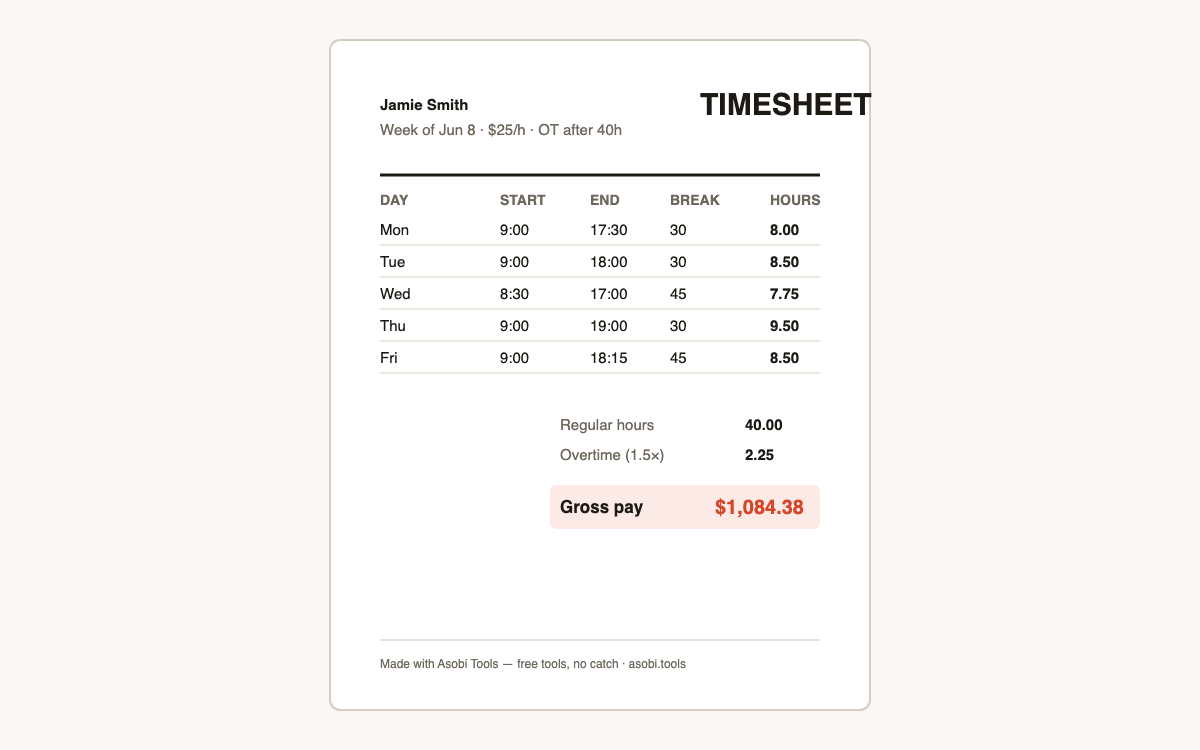
Enter your start, end, and break times for the week and get total hours, overtime, and pay — plus a clean timesheet PDF you can hand to payroll. Free, no signup.
How it works
- Enter start time, end time, and unpaid break minutes for each day you worked — the calculator handles overnight shifts too.
- Pick your overtime rule (1.5× after 40 hours weekly is the US federal standard) and add your hourly rate if you want pay totals.
- See total hours, overtime, and pay instantly, then download the timesheet PDF for payroll or your records.
How do I calculate hours worked on a time card?
For each day, subtract the start time from the end time, then subtract unpaid breaks — that's your net hours. Repeat for the week and add it up:
- Convert times to a 24-hour basis (2:30 PM = 14:30) so subtraction is clean.
- End minus start gives gross hours; subtract unpaid break minutes for net hours.
- Sum the days, and apply overtime to anything past your rule's threshold (commonly 40 hours/week).
How does overtime pay work in the US?
Under federal law (the FLSA), non-exempt employees earn at least 1.5× their regular rate for hours past 40 in a workweek. Some states go further — California, for example, adds daily overtime after 8 hours and double time after 12. This calculator supports the weekly-40 and daily-8 rules; salaried-exempt roles and contractor agreements can differ, so check your state's rules for the edge cases.
Do unpaid breaks count as work time?
Genuine meal breaks where you're fully relieved of duty — typically 30 minutes or more — are unpaid and excluded from hours worked under federal rules. Short rest breaks of 5 to 20 minutes are generally counted as paid time. That's why this calculator asks for break minutes per day: entering your unpaid lunch correctly is the difference between an accurate timesheet and a 2.5-hour weekly error.
What does a decimal hour mean on a timesheet?
Payroll systems use decimal hours, not minutes — 7 hours 45 minutes is 7.75 hours. The conversion is minutes divided by 60:
| Minutes | Decimal | Example |
|---|---|---|
| 15 min | 0.25 | 8:00–4:15 with lunch = 7.25 h |
| 30 min | 0.50 | 9:00–5:30 no break = 8.5 h |
| 45 min | 0.75 | 7:30–3:15 = 7.75 h |
Why use this instead of timecardcalculator.net?
The classic time card sites still work, but they're ad-stuffed 2010-era pages that stop at showing a number on screen. This one adds the part you actually need on Friday: a clean, named timesheet PDF you can email to payroll or attach to an invoice — and it runs entirely in your browser with no ads and no account.
Frequently asked questions
Is this time card calculator free?
Yes — free, no signup, no ads, and the timesheet PDF has no watermark. It runs in your browser, so there's nothing for us to host and no reason to charge. Free tools, no catch.
Are my hours or pay rate uploaded anywhere?
No. All calculation happens on your device — names, hours, and rates never leave your browser. If you email yourself the timesheet, only that PDF is sent.
Can it handle overnight shifts?
Yes — if your end time is earlier than your start time (10 PM to 6 AM, say), the calculator assumes the shift crossed midnight and counts it correctly as 8 hours.
Which overtime rule should I pick?
1.5× after 40 hours per week is the US federal standard and the right default for most hourly workers. The 8-hours-per-day rule matches California-style daily overtime. If you're salaried-exempt or freelance, pick no overtime and use the plain totals.
Does it handle two jobs or split shifts?
For a split shift at one job, enter the total span and put the unpaid gap in the break minutes. For two different jobs or rates, run the calculator once per job — overtime is computed per employer anyway.
Can I use this for my employees?
Yes — many small businesses fill it per employee and keep the PDFs as payroll records. Each timesheet is named and dated for the week, which is exactly what a wage audit wants to see.
How accurate is the pay total?
It's gross pay: hours times rate with your overtime rule applied, before taxes and deductions. Net take-home depends on your withholding — but the gross figure is what you verify against your paystub.
Why a PDF instead of a spreadsheet?
PDFs are what payroll and managers actually accept — uneditable, named, dated, and printable. If you need spreadsheet math, the on-screen totals give you the decimal hours to paste anywhere.
Who built this?
Asobi Tools is built by Asobi Labs, an independent Brooklyn software studio. Everything on asobi.tools is free, signup-less, and runs entirely in your browser — your data never leaves your device.