PNG to PDF converter
Drop your PNG images below and download them as a single PDF — free, with no watermark, no signup, and no upload. The conversion happens entirely on your device.
How it works
- Drop one or more PNG (or JPG) images into the box above — nothing is uploaded, so even large files load instantly.
- Reorder the pages if you need to, and pick a page size: fit-to-image, A4, or US Letter.
- Click Convert and download your PDF — or have it emailed to you. Both are free.
How do I convert PNG to PDF for free?
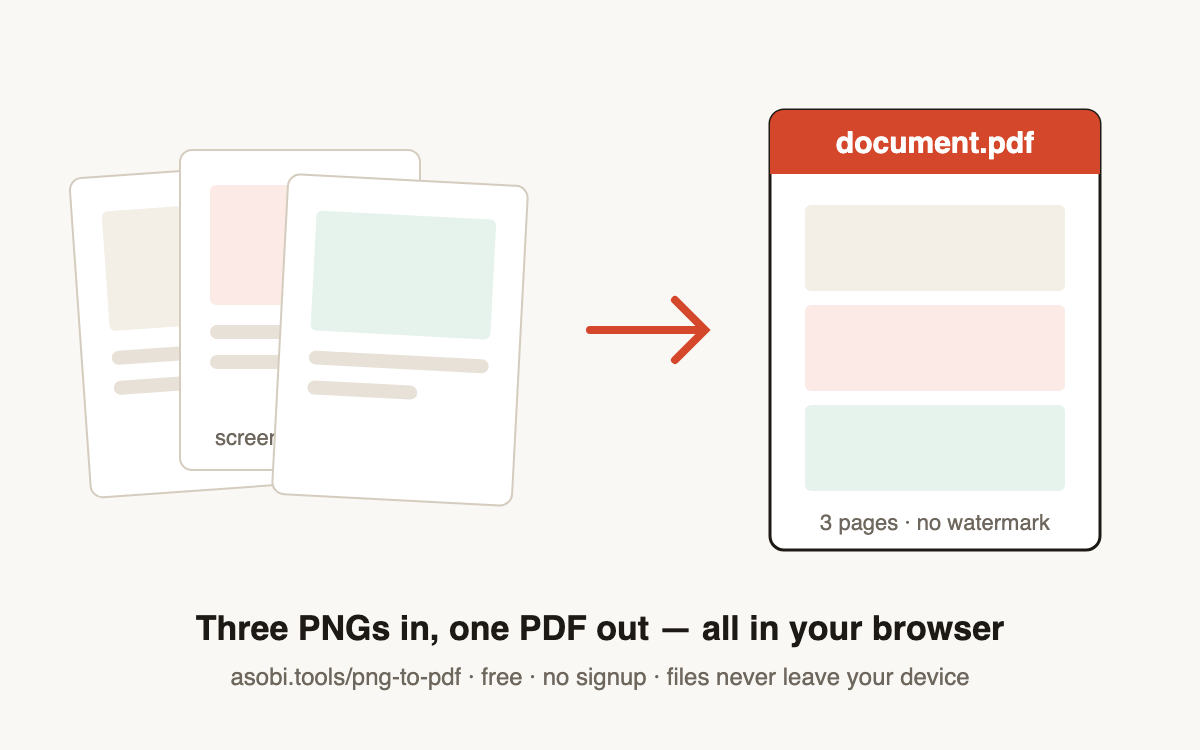
You can convert PNG to PDF free in three steps with Asobi Tools, with no account and no watermark on the result. The whole conversion runs in your browser, so there is no upload step and no waiting in a queue.
- Drop your PNG files into the converter above (or click to choose them).
- Arrange the page order and choose fit-to-image, A4, or US Letter.
- Click Convert, then download your PDF or email it to yourself.
Are my PNG files uploaded to a server?
No. This converter runs 100% in your browser — your images never leave your device. You can verify this yourself: open your browser's developer tools, watch the network tab, and convert. You'll see no file upload happen, which also makes it safe for contracts, IDs, and other sensitive documents.
Can I combine multiple PNG images into one PDF?
Yes. Drop as many PNGs as you like and they become pages of a single PDF in the order shown — drag the arrows to reorder before converting. Each image keeps its full resolution. This is the fastest way to turn a folder of screenshots or scans into one shareable document.
Does converting PNG to PDF reduce image quality?
No. Your PNG pixels are embedded in the PDF losslessly — nothing is recompressed, resized, or watermarked. The PDF file is usually about the same size as the images you put in. If you choose A4 or Letter, the image is scaled to fit the page visually, but the embedded data keeps its original resolution.
What page sizes does the PNG to PDF converter support?
Three options cover almost every use: fit-to-image makes each PDF page exactly the size of its image, while A4 and US Letter center each image on a standard document page — better for printing or attaching to forms.
| Page size | Dimensions | Best for |
|---|---|---|
| Fit to image | Each page = image size | Screenshots, digital sharing |
| A4 portrait | 210 × 297 mm | Printing outside the US, forms |
| US Letter portrait | 8.5 × 11 in | Printing in the US, faxing, filing |
Frequently asked questions
Is this PNG to PDF converter really free?
Yes — completely free, with no watermark, no page limit, and no signup. Asobi Tools runs its converters in your browser, which costs us almost nothing to operate, so there's no paywall waiting at the download button. That's the whole promise: free tools, no catch.
Will my PDF have a watermark?
No, never. The PDF you download is clean — no stamp, no footer, no "made with" page. Most free converters watermark the result unless you pay; Asobi Tools doesn't do that on any tool.
Are my files uploaded anywhere?
No. The conversion happens entirely on your device using your browser's own capabilities. Your files never leave your browser — you can confirm in the network tab of your browser's developer tools. The only exception is if you choose to email the PDF to yourself, which sends that one file to deliver it.
Can I convert JPG images too?
Yes — the converter accepts both PNG and JPG files, and you can mix them in one PDF. Each image becomes one page, in the order you arrange.
How do I change the page order?
After dropping your images, each file in the list has up and down arrows — use them to arrange pages before you convert. The PDF follows the list order exactly, top to bottom.
Is there a file size or page limit?
There's no hard limit. Because files are processed on your device, the practical limit is your device's memory — hundreds of typical screenshots work fine. Extremely large batches on an older phone may be slow; a laptop handles almost anything.
Does it work on iPhone and Android?
Yes. Asobi Tools runs in any modern browser, including Safari on iPhone and Chrome on Android. On a phone, tapping the drop zone opens your photo picker, and the finished PDF saves to your Files or Downloads.
Why is there an option to email the PDF to myself?
Convenience — people often convert on one device but need the file on another, or want it in their inbox to forward. The download button always works without it; emailing is optional and we don't require it for anything. Unsubscribe is one click if you opt into updates.
Who built this tool?
Asobi Tools is built by Asobi Labs, an independent software studio in Brooklyn. Every tool on asobi.tools follows the same rules: free, no signup, no watermark, and your files never leave your browser.