App Store screenshot generator
Drop one screenshot, add a caption and background color, and download a zip with every size App Store Connect requires — full resolution, free, and nothing uploaded anywhere.
How it works
- Drop a screenshot straight off your iPhone — any recent model's resolution works as the source.
- Add a short marketing caption and pick your brand background; the preview updates live.
- Download one zip containing every size App Store Connect asks for, named and ready to upload.
What screenshot sizes does the App Store require in 2026?
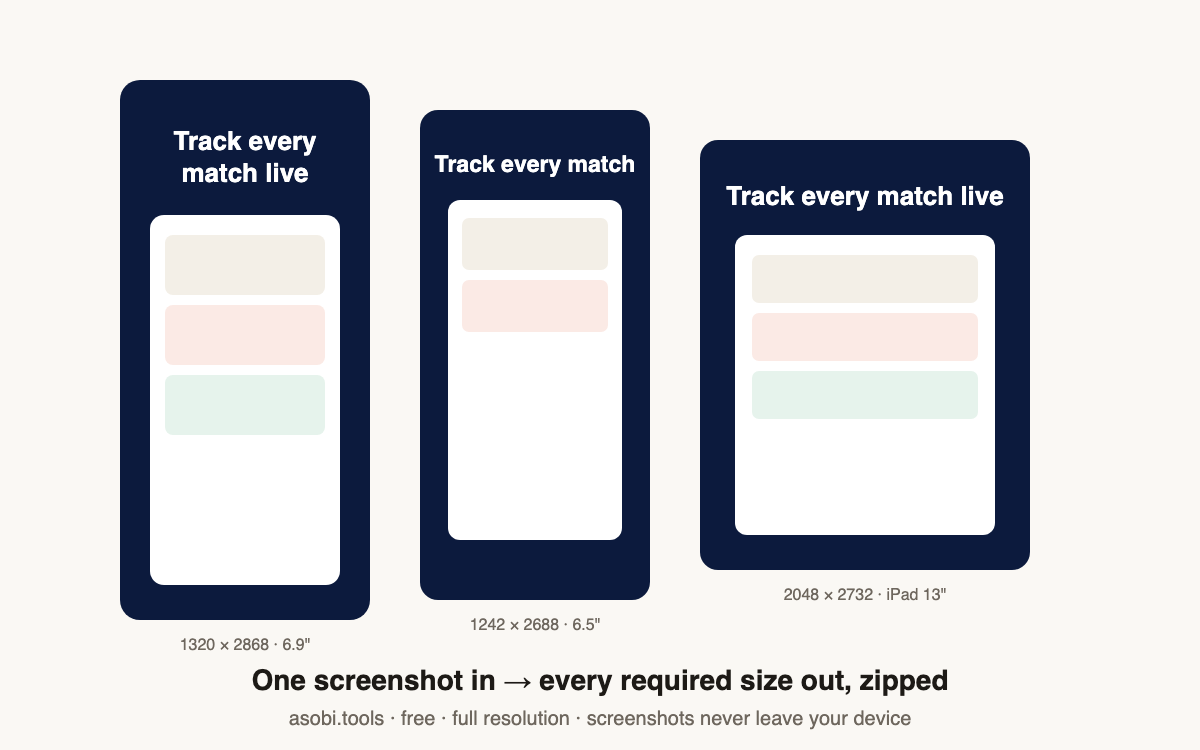
App Store Connect organizes screenshots by display size. In practice you need the 6.9-inch iPhone set, and Apple derives smaller iPhones from it; older listings also carry a 6.5-inch set, and iPad apps need the 13-inch set:
| Display | Pixels (portrait) | Required? |
|---|---|---|
| iPhone 6.9" | 1320 × 2868 | Yes — primary iPhone set |
| iPhone 6.5" | 1242 × 2688 | Accepted fallback for older devices |
| iPad 13" | 2048 × 2732 | Required if your app runs on iPad |
How do I make App Store screenshots from one image?
The standard indie approach is one source screenshot placed on a branded canvas per size — caption on top, your app below. That's exactly what this generator automates:
- Take one clean screenshot on your iPhone (hide the debug build's banners first).
- Drop it here, write a benefit-led caption, and pick your brand background color.
- Download the zip — each size is generated at exact pixel dimensions, named by display class.
Why do free screenshot tools limit resolution or count?
Because export limits are their upgrade trigger — most screenshot SaaS tools watermark, cap you at one or two sizes, or downscale until you subscribe. This generator composes everything in your browser at full resolution, so there's no server cost to recover and no reason to gate the export. All sizes, every time, free.
What makes a good App Store screenshot caption?
Lead with the benefit, not the feature — "Never miss a match" beats "Push notifications." Keep it under six words so it's readable at thumbnail size in search results, where most install decisions happen. Your first screenshot carries most of the conversion weight, so put your strongest claim there and let later screenshots show depth.
Are my app screenshots uploaded to a server?
No. Unreleased app UI is sensitive, and this tool treats it that way by architecture: the composition and resizing happen entirely in your browser, and the zip is assembled on your device. Nothing is transmitted — verifiable in your browser's network tab while you generate.
Frequently asked questions
Is this screenshot generator free?
Yes — free, full resolution, every size, no watermark, no signup. It runs in your browser, which is also why your unreleased app screens never leave your device. Free tools, no catch.
Which sizes are in the zip?
The required set: iPhone 6.9-inch (1320 × 2868), iPhone 6.5-inch (1242 × 2688), and iPad 13-inch (2048 × 2732) — each as a full-resolution PNG named by display class, ready for App Store Connect's upload panes.
Can I make all 10 screenshots for my listing?
Run the generator once per screenshot — each run takes seconds. App Store Connect accepts up to 10 per device size; most successful listings use 5–8 with a caption arc that tells the app's story in order.
Does the screenshot need to come from a specific iPhone?
No — any modern iPhone screenshot works as the source. It's placed proportionally on each canvas, so a 6.7-inch source fills a 6.9-inch frame cleanly. Avoid screenshots with notch-area debug text; they read as unpolished at thumbnail size.
Will Apple reject screenshots made this way?
Caption-on-background composition is the standard approach across the App Store — what Apple's guidelines require is that screenshots show the actual app honestly. Keep the UI real and the caption truthful and this format is exactly what review expects to see.
Can I use my brand fonts in the caption?
The caption renders in a clean system font for guaranteed sharpness at every size. For fully custom typography, generate the set here and add styled text in your design tool — the background and sizing work is still done for you.
Why is the iPad size required?
If your app runs on iPad (including iPhone apps marked compatible), App Store Connect requires at least one 13-inch iPad screenshot before you can submit. The zip includes it so a surprise requirement never blocks your release night.
Do you store my screenshots?
No — nothing is uploaded, nothing is stored. The only data that ever leaves your browser is the finished zip if you choose to email it to yourself.
Who built this?
Asobi Tools is built by Asobi Labs, a Brooklyn indie studio that ships its own iOS apps and makes its store screenshots with this exact tool. Everything on asobi.tools is free, signup-less, and browser-only.