Free receipt maker
Type the sale details and download a clean, professional PDF receipt — free, with no watermark, no monthly plan, and nothing you enter ever leaving your browser.
How it works
- Enter your business details, the date, and how the customer paid — everything stays on your device.
- Add what was sold with quantity and price; tax and the total calculate as you type.
- Download the PDF receipt free — genuinely no watermark — or email it to yourself to forward to the customer.
How do I make a receipt for free?
A valid receipt is simpler than an invoice — it documents a payment that already happened. You can make one in under a minute:
- Enter your business name and contact details.
- Add the items or services sold, with quantity and price.
- Pick the payment method and date, then download the PDF.
What should a receipt include?
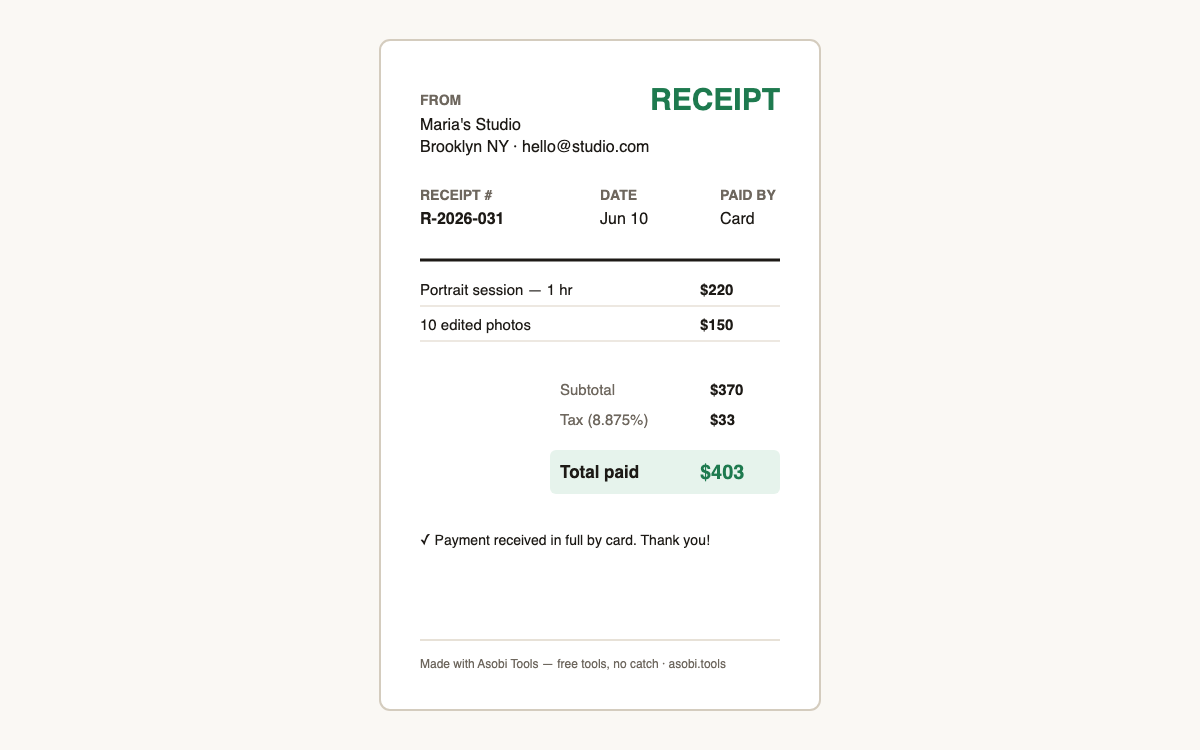
The essentials are: the seller's name and contact details, the date of payment, what was sold with amounts, any tax collected shown separately, the total paid, and the payment method. A receipt number helps both sides' bookkeeping. Unlike an invoice, a receipt confirms money already received — the customer's details are optional but useful for returns or warranty claims.
Why do most receipt makers add a watermark?
Because the watermark is the upsell: tools like ExpressExpense stamp the PDF unless you pay a monthly subscription, betting that you need a clean receipt right now and will pay to remove it. This receipt maker has no paid tier, so the PDF is simply clean — the download is the product, not the hostage.
Receipt vs invoice — which one do I need?
It depends on whether you've been paid yet:
| Document | When | What it says |
|---|---|---|
| Invoice | Before payment | "Here's what you owe and how to pay" |
| Receipt | After payment | "Payment received — here's the proof" |
| Both | Common for freelancers | Invoice to request, receipt to confirm |
Is it safe to type customer details into this?
Yes, because nothing you type is transmitted — the receipt is assembled into a PDF entirely on your device, and your customer's name never touches a server. Most online receipt sites store every receipt you make on their servers; this one architecturally can't. Verify it yourself in your browser's network tab.
Frequently asked questions
Is this receipt maker really free?
Yes — free, no signup, no watermark, no monthly plan. It runs in your browser so there's nothing for us to host. Free tools, no catch — that's the Asobi Tools promise on every tool.
Will the receipt have a watermark?
No. The PDF is completely clean — that's the main reason this tool exists. The popular receipt sites watermark unless you pay around $10–16/month; here, clean is the default and only mode.
Is my data stored or uploaded?
No. Business names, customer names, and amounts never leave your browser — the PDF is generated on your device. If you email yourself the receipt, only that file is transmitted, once.
Can I make a receipt for a cash payment?
Yes — select Cash as the payment method. A written receipt is especially important for cash since there's no bank trail; both sides keep a copy and the receipt number ties it to your records.
Can I add tax to the receipt?
Yes — set the tax percentage and it appears as its own line, the way sales tax, VAT, or GST should. If you collected no tax, leave it at zero and the line is omitted entirely.
Do receipts need a number?
It's not legally required everywhere, but numbering receipts (R-2026-001, R-2026-002…) makes bookkeeping and any future dispute dramatically easier. Pick a running scheme and stay consistent — same advice as invoices.
Can I use this for my small business every day?
Yes, as much as you like — there's no usage limit and no account to outgrow. Many small sellers keep this page bookmarked and generate receipts on a phone right at the point of sale.
Can I reprint or edit a receipt later?
Nothing is stored, so keep the downloaded PDF as your copy — that's your record. To correct one, generate a fresh receipt with the same number and a note; the form takes seconds once your business details are typed.
Who built this?
Asobi Tools is built by Asobi Labs, an independent Brooklyn software studio. Every tool on asobi.tools is free, signup-less, watermark-free, and runs entirely in your browser.